Live Payments with Touchscreen POS Support
Pair EFTPOS to POS
-
Press the "Function" button on EFTPOS
-
Enter 8880 and press " Done"
-
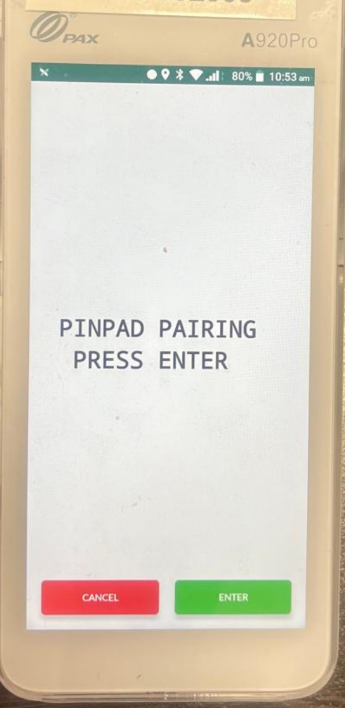
The screen should show "PINPAD PAIRING PRESS ENTER"
-
IMPORTANT: Read any messages that may appear at the bottom of the screen
-
-
Select " ENTER" to re-pair
On your POS System:
-
Make sure you are on your Point-Of-Sale Software
-
Sign in as an operator and navigate to the Manager Screen or where the " PAIR" button could be
-
It should look like one of the images left. Look for the word " PAIR"
-
Press the button you find



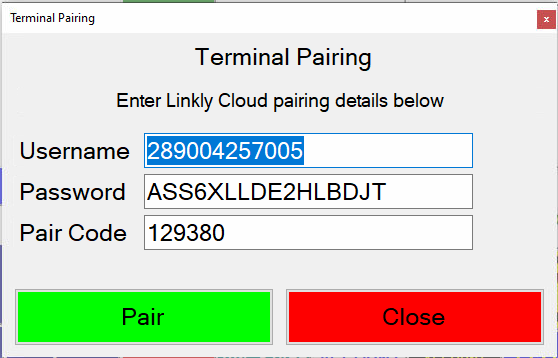
The Following Screen will appear:
-
The Username and Password will be pre-filled
-
Remove the Pair Code already displayed and replace it with the code displayed on the EFTPOS machine and press the " Pair" or " Save" button
-
Carry out a test transaction to confirm the EFTPOS has successfully paired
For any further issues please call Live Payments Support on 1300 780 788