MX51 - Instructions on Finding IP Address
-
Press the Menu button on you EFTPOS

-
Press the Manage POS Pairing button

-
If there is already a POS Paired on the screen, press on the Connected POS

-
Press Unpair at the bottom of the page

-
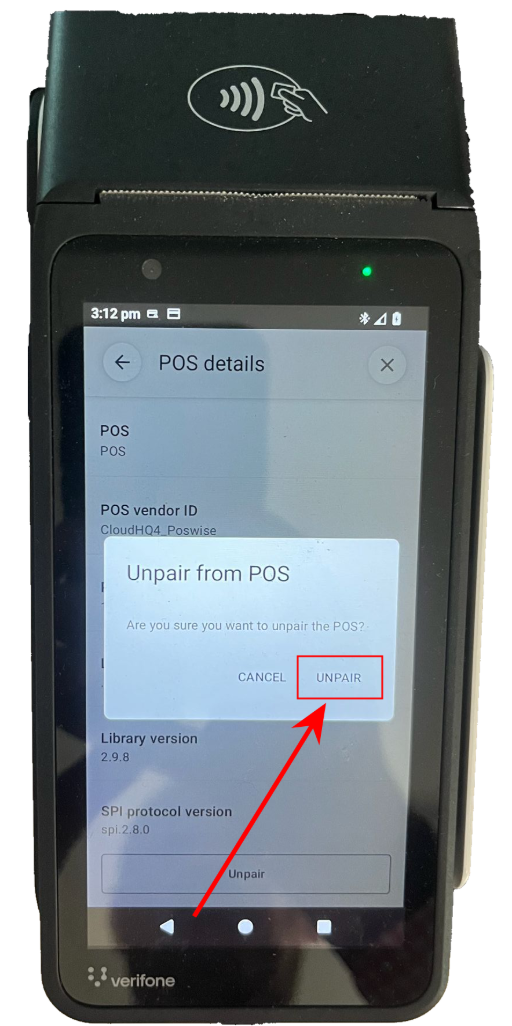
In the popup press Unpair again
-
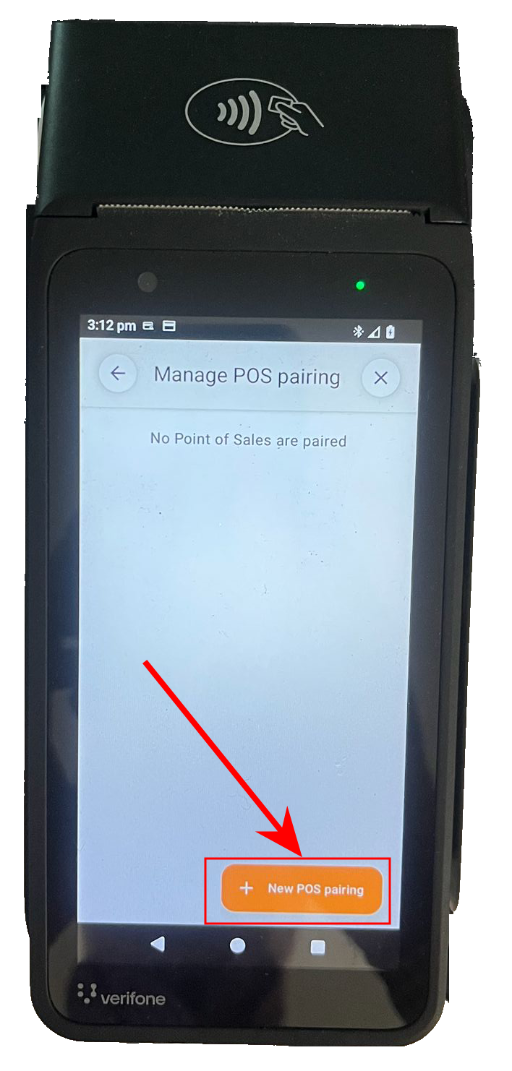
Now press New POS Pairing
-
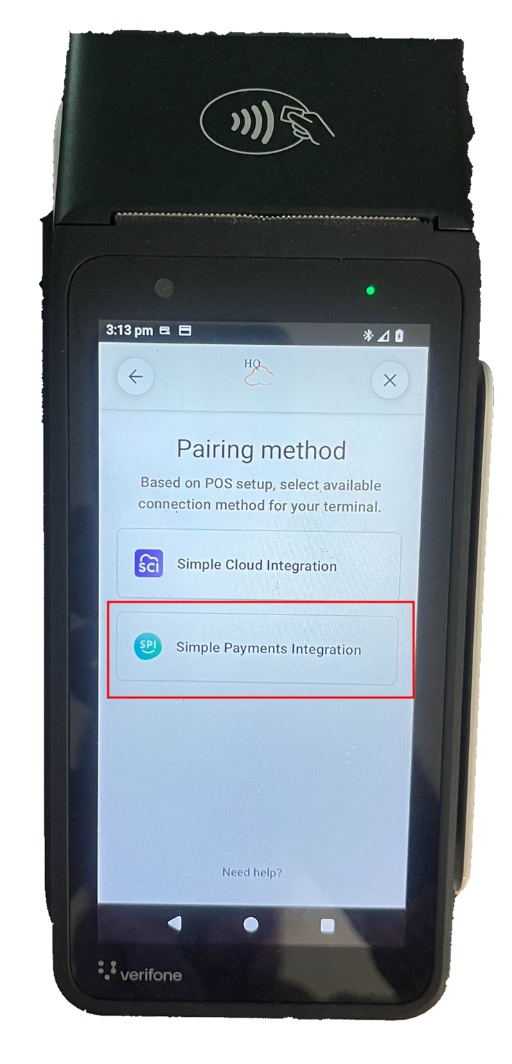
Press Simple POS Integration on your EFTPOS
-
You will now see all of the Pairing Information you need
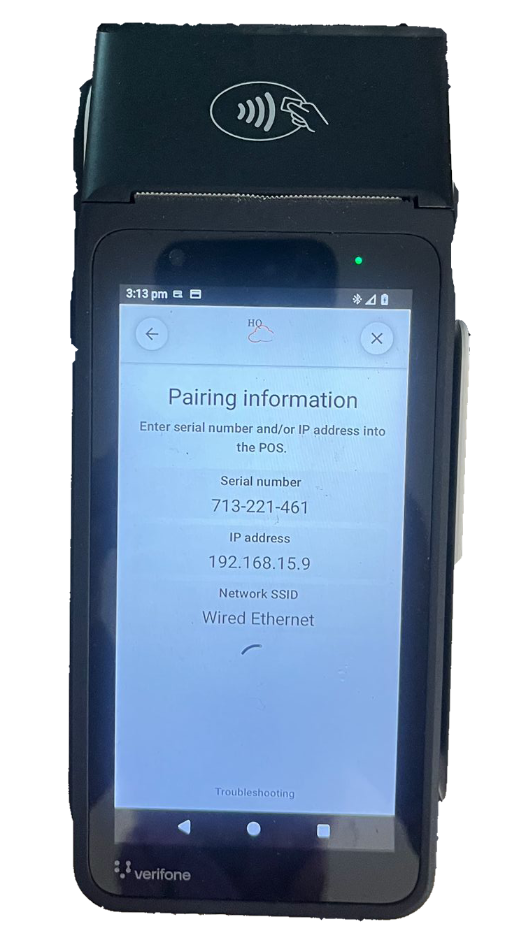
You should now see the pairing information