MX51 EFTPOS and Touchscreen POS Support
Connecting to EFTPOS
-
Sign on as an operator and navigate to the "Manager Screen" or where the "PAIR" button is
-
Look for a button with the word "PAIR"
-
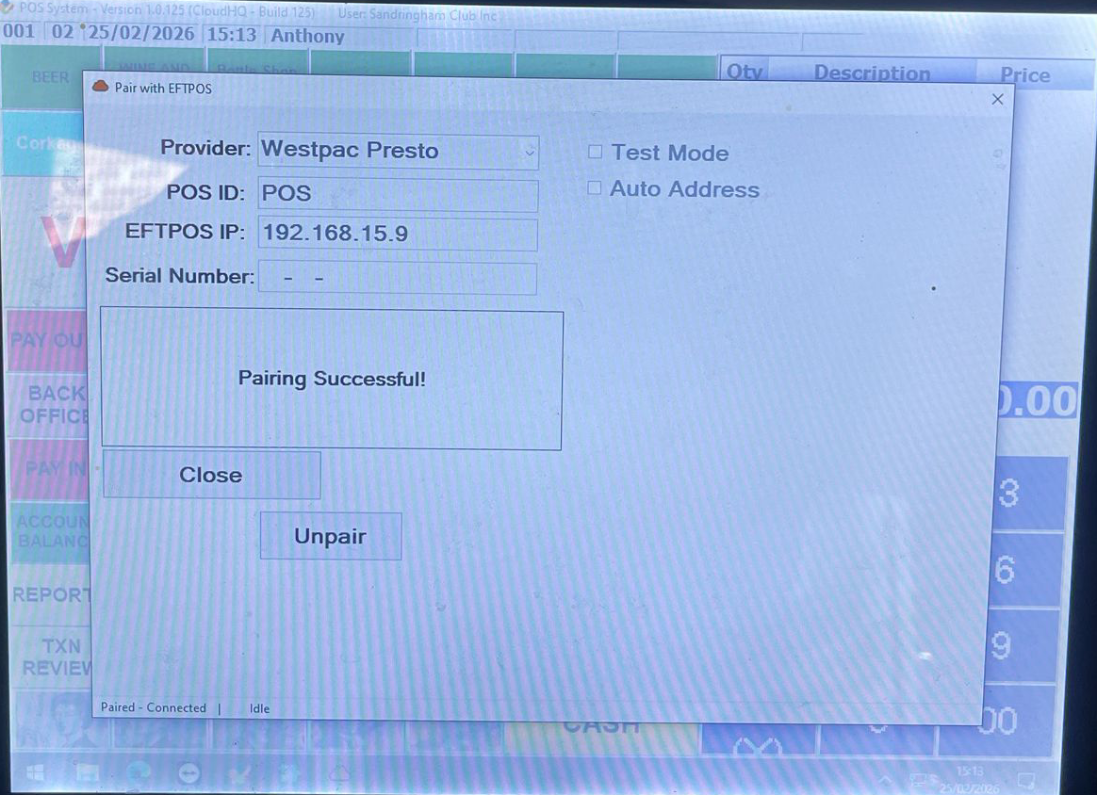
This screen will appear

-
If it says that it is "Paired" please "Unpair" first and save

-
Please then enter the IP address shown on the EFTPOS into the "EFTPOS IP" field
Click Here to get the EFTPOS IP Address
-
-
Make sure the Test Mode is not ticked
-
Auto Address Mode may be ticked and if it is then you will need to enter the Serial Number details
-
-
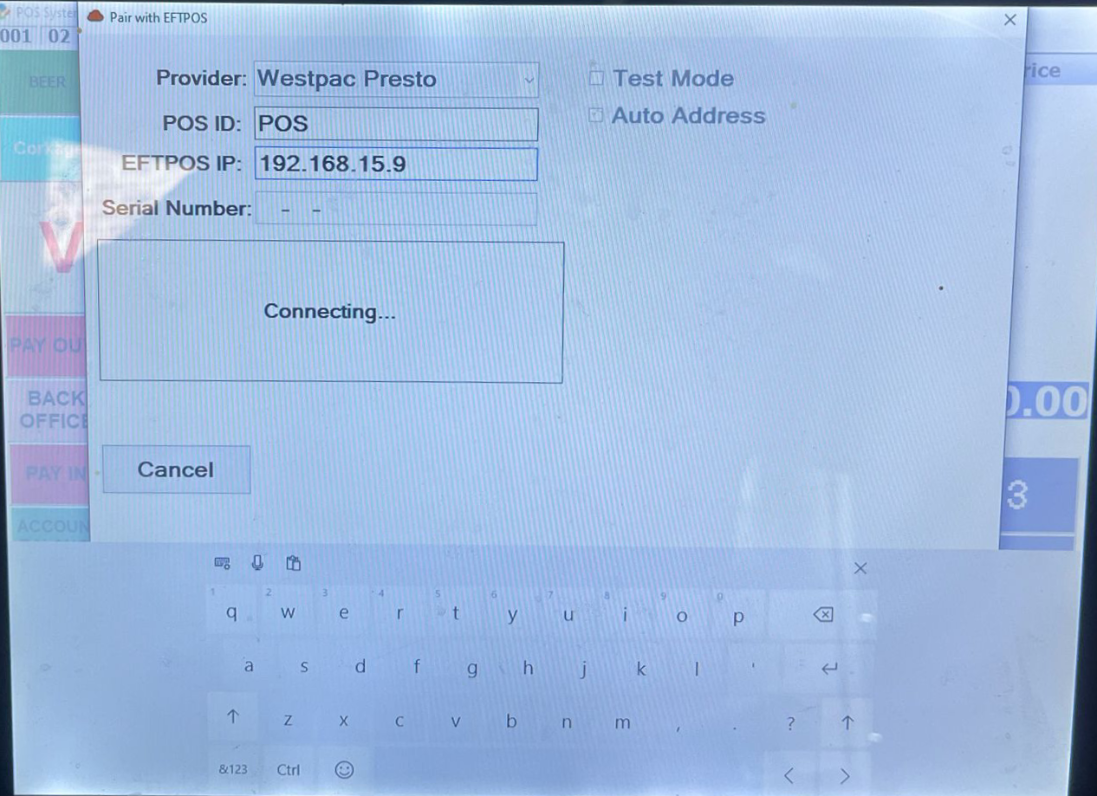
Select "Save" followed by "Pair" and you should get a screen saying "Connecting"
-
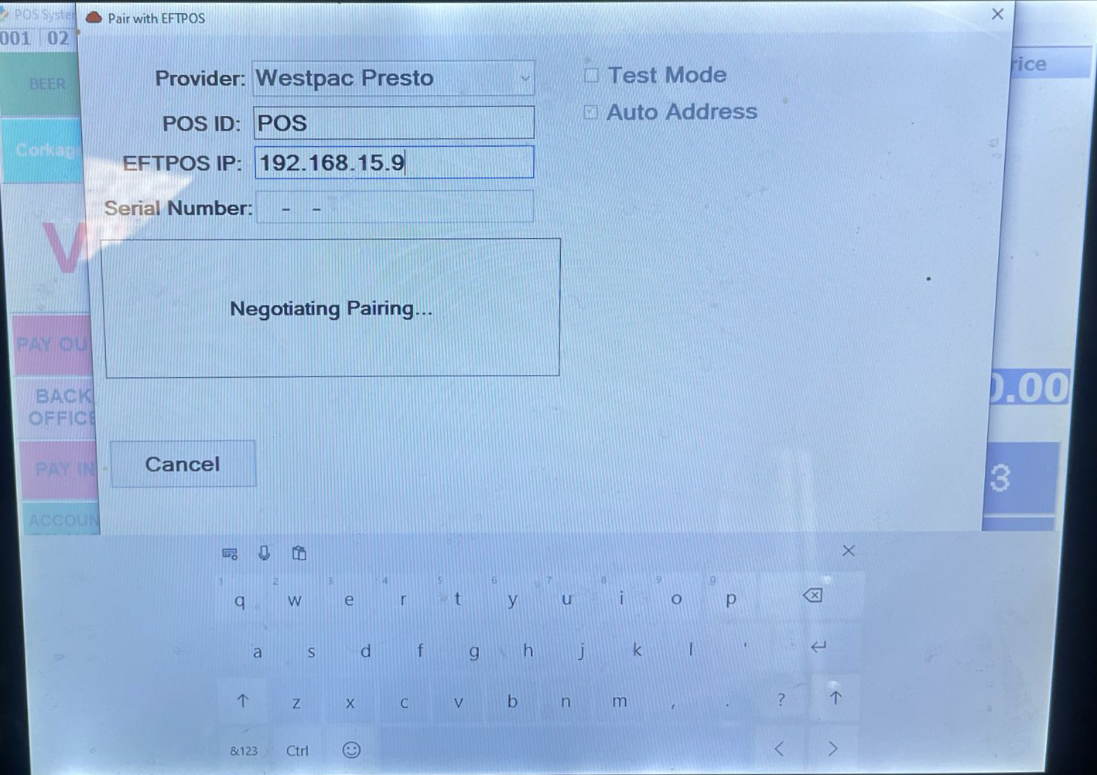
You should then get a screen saying "Negotiating Pairing"
-
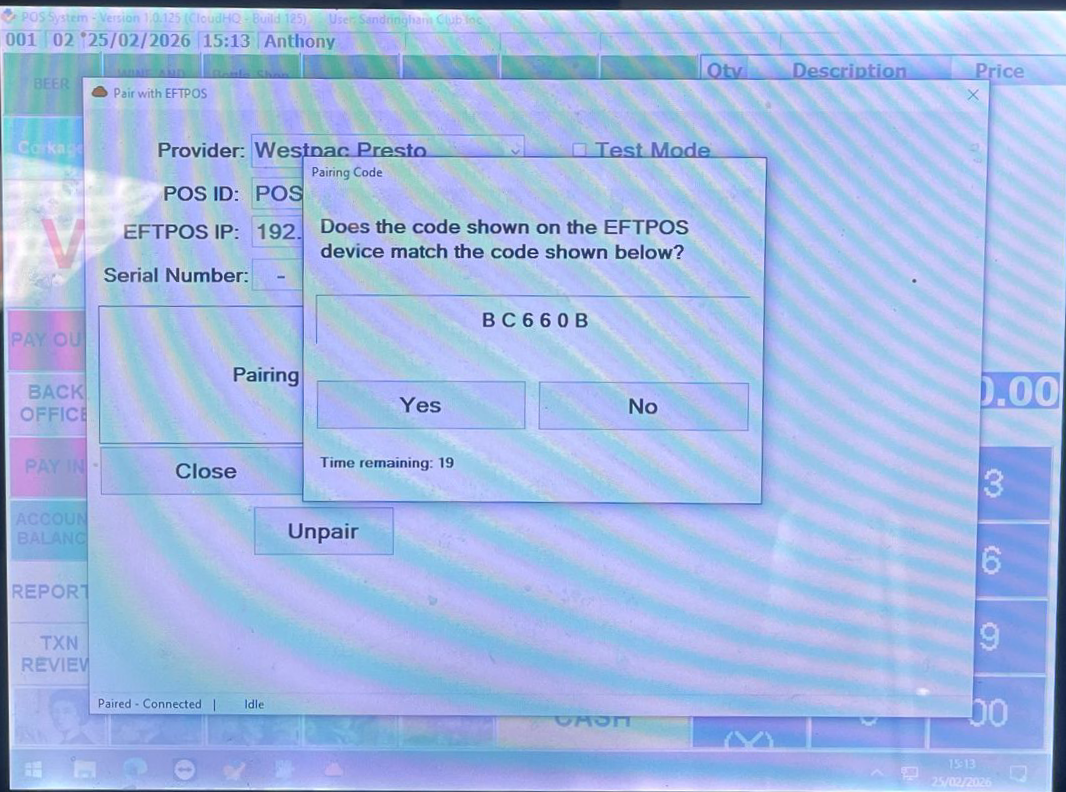
You will then get a screen showing a Code
-
Check if the code on the EFTPOS device matches the one on the POS screen
-
If it does press "Yes" on both the EFTPOS and the POS screen
-
Screen now shows "Pairing Successful!"
-
Press "Close" and you can now take sales!
-
Any issues call MX51 support on 02 9000 1777 or CloudHQ4 on 03 9908 5805